
1. Logging In
-
Go to your WordPress login page: yourwebsite.com/wp-admin
-
Enter your username and password
-
Click Log In

2. Go to: Woocommerce -> Orders
Click on the order to view details
– to change the order status use the dropdown menu
– to resend the order details to the customer choose “Send order details to customer” from the “Order Actions” section in the top right corner
– to send a note to the customer, use the box in the bottom right corner – from the drop down menu select “Note to customer” and click Add

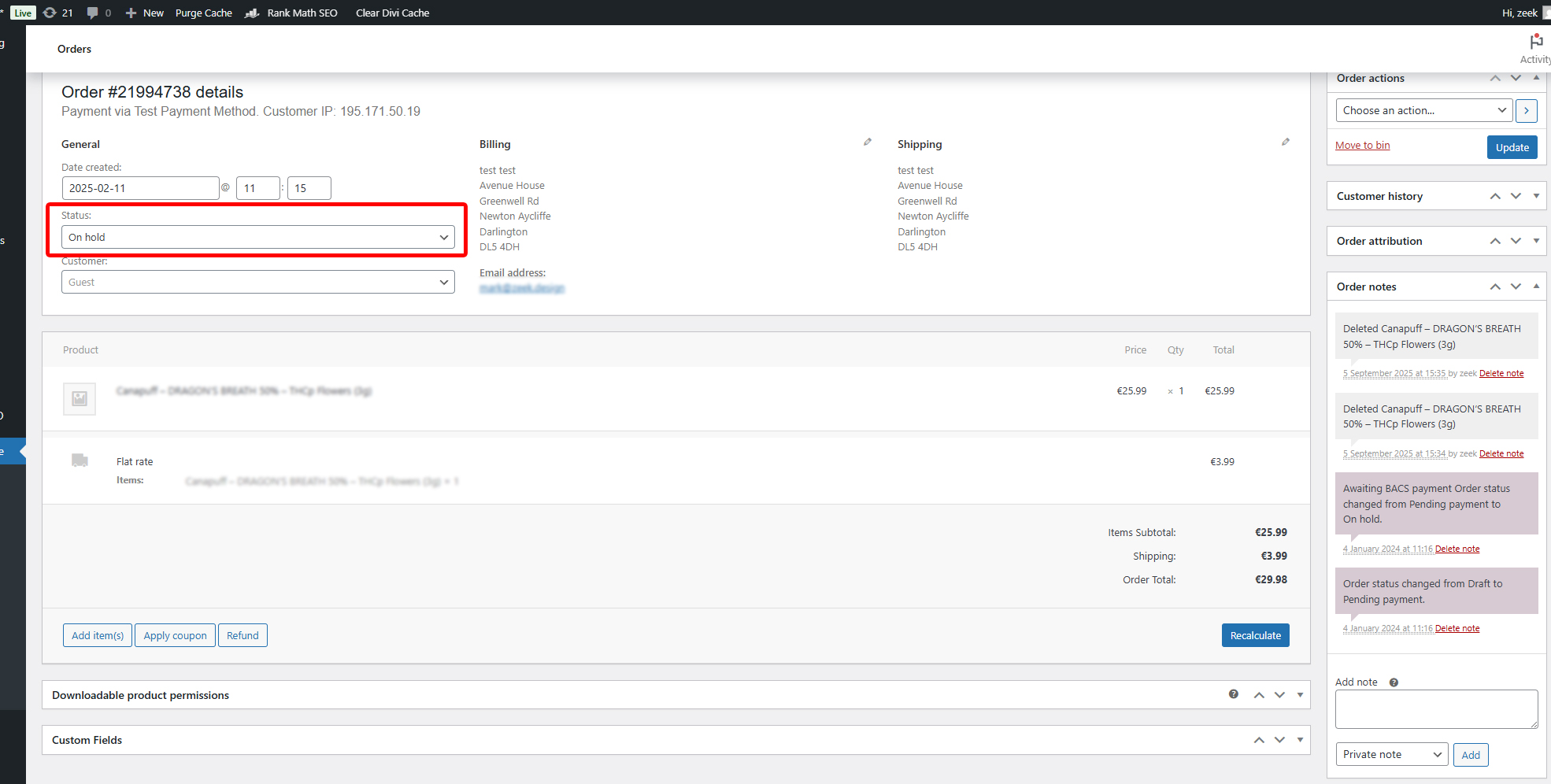
click to enlarge
2. Go to: Woocommerce -> Orders
Click on the order to view details
click to enlarge